Module 6 Intermediate/Advanced 45 minutes
4 objectives
  • Build and test one scheduled task that runs automatically
  • Understand Dispatch and its current limitations
  • Calculate a realistic ROI estimate from the course
  • Have a team adoption plan if you're a manager — including what not to do
📁 7 files Start Workshop →

Scheduling Recurring Tasks and Measuring Results — Automations that run on a schedule. Honest ROI tracking.

1Hook5 min
2Challenge15 min
3Learn3 min
4Setup8 min
5Framework10 min
6Learn5 min
7Learn2 min
1

The Morning That Runs Itself

5 min

The Morning That Runs Itself

5 min
Scheduled tasks require: laptop ON + Claude Desktop OPEN + internet connected. Miss one condition = task silently skips. No retry. No notification. A DST bug in March 2026 temporarily broke scheduling entirely.

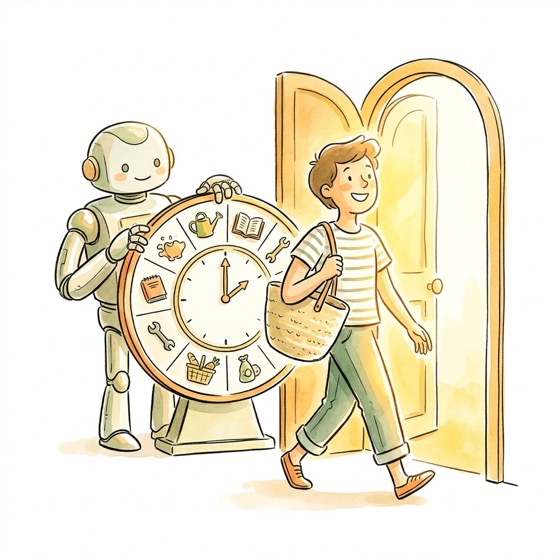
The facilitator opens their laptop at 9am. There's already a file in the workspace folder — a briefing document generated at 8:30 AM, before they'd even made their tea.

"I didn't write this. I didn't run a prompt. Cowork did it while I was on the train. The briefing was waiting for me when I sat down. Tom in Ops calls it his 'robot PA'."

Now for the reality check: scheduled tasks run locally on your machine. Your laptop must be awake, Claude Desktop running, and internet connected. If any condition fails, the task silently skips. There is no cloud fallback, no retry, no notification. You won't know it failed unless you check.

In March 2026, a daylight saving time bug caused scheduled tasks to loop or skip entirely. This was patched, but it illustrates the brittleness of local scheduling. Cowork has also had multiple service outages (March 2, 17, and 22). Scheduled tasks that hit an outage just don't run.

Think of it as "set it and forget it until you close your laptop." Not bulletproof — but for daily and weekly routines, it's like having a colleague who starts work before you do.

📋 2

Build Your Scheduled Task

⏱ 90015 min
CHALLENGE⏱ 15:00

The Task

Pick one recipe from the data pack. Customize it. Test it. Set it to recurring.

Important: Do NOT set to Recurring until you've run On-Demand at least 3 times and verified each output. Scheduled tasks that produce bad output on repeat are worse than no automation — they erode trust.

Data pack file: scheduled-task-recipes/

Choose Your Prompt

Use the chargeback-deadline-tracker.txt recipe. Customize with your actual project names and output folder path.
Use the monday-jira-briefing.txt recipe. Customize with your actual project names and output folder path.
Use the friday-sprint-summary.txt recipe. Customize with your actual sprint board and project names.
Use the daily-new-issues.txt recipe. Customize with your actual projects and team member names.
Pick the recipe that best fits your role. Customize project names and output folder. Test on-demand first.

Scoring

Task running and producing valid output = Gold. Task created but not yet on recurring = Silver. Recipe customized but not tested = Bronze.

Verification Checklist

0/6 verified
3

The Cross-Department Chain

3 min

The Cross-Department Chain

3 min

Here's where it gets really interesting. What if one scheduled task produced output that three different teams could use?

"The Monday Morning Cascade" — A single scheduled task runs at 8am every Monday:

  1. It reads the issue tracker for anything opened or updated over the weekend
  2. It cross-references with recent helpdesk tickets to spot patterns
  3. It produces THREE outputs from a single run:
  • For Support: A list of P1 tickets from the weekend that need immediate attention, with suggested responses based on similar resolved tickets
  • For Operations: A list of onboarding applications that have been stuck for more than 5 business days, with the likely blocker identified
  • For Leadership: A one-paragraph summary: how many issues came in, what the biggest theme was, and whether anything needs escalation

One automation. Three teams. Zero Monday morning scramble.

This is the "lazy genius" move — you set it up once, and three departments stop wasting their first hour every Monday catching up.

🔧 4

Dispatch Test

8 min

Dispatch Test

8 min
1

Open the Claude mobile app (iOS or Android). If you don't have it, skip this section — Dispatch requires the mobile app.

2

Find your desktop Cowork session. Send a simple test: 'What files are in my workspace folder? Just list the names.'

3

Wait 30 seconds to 2 minutes. Dispatch is not instant. If it doesn't respond, check that your desktop is awake and Claude Desktop is running.

Dispatch limitation: your desktop must be ON and both devices must be online. If your laptop goes to sleep, Dispatch stops working. No recovery, no notification. Dispatch was released March 17, 2026 — it's a new feature with known reliability gaps.
4

If it works, try a real task: 'Summarize the last Excel file I created in my workspace.'

📐 5

The ROI Calculator

10 min

The ROI Calculator

10 min

Fill in YOUR numbers from this course. Be conservative — overestimating savings is the fastest way to lose credibility.

For each automation you built in Modules 1-5:

  • Manual time: How long did this task take you by hand? (Be honest.)
  • Cowork time: How long did Cowork + your review take? Include prompt iteration time.
  • Frequency: How often do you do this task? (daily, weekly, monthly)
  • Time saved per occurrence: Manual time - Cowork time (including review)
  • Weekly savings: Time saved x frequency per week
  • Annual savings: Weekly savings x 50 weeks

Important caveat: These are estimates. Track these numbers for 2 weeks minimum before presenting them to your manager. Estimated savings often shrink when you account for review time, prompt iteration, and failed runs. A task that takes Cowork 2 minutes but requires 15 minutes of verification saves less than you think.

In regulated departments (compliance, chargebacks, finance), factor in verification overhead. A task that takes Cowork 2 minutes but requires 15 minutes of compliance review has a different ROI profile than a sales battle card that needs a quick skim. Be honest about which category your automations fall into.

1
List
List every task you automated in this course
2
Time
Record manual time vs Cowork time for each (include review)
3
Frequency
How often: daily, weekly, monthly?
4
Calculate
Time saved x frequency x 50 weeks = annual hours (estimate)
5
Validate
Run for 2 weeks. Compare estimate to reality. Adjust.
6
Report
Share validated numbers with your manager. Estimates marked as estimates.
6

Team Adoption: 3 Phases

5 min

Team Adoption: 3 Phases

5 min

If you're a manager or team lead, here's a phased approach for rolling out Cowork to your team. This is provisional — Cowork is a research preview that launched January 2026, and the feature set is still shifting.

Phase 1: Pilot (Weeks 1-2)
Your team is probably already using AI — just not the approved kind. In many companies, consumer AI tools are being used without IT knowledge or approval. Cowork gives people a sanctioned, workspace-scoped alternative. Position it that way: "You're already doing this — here's how to do it safely."

Pick 2-3 people. Each builds ONE automation for their role using their Module 5 playbook. Success = each saves >30 min/week verified over a 2-week tracking period.

Phase 2: Expand (Weeks 3-4)
Share working playbooks in your team Slack channel. Host a 15-minute show-and-tell where each pilot member demos their automation — including what went wrong. Assign a Cowork Champion to field questions.

Phase 3: Embed (Month 2+)
Add "What did you automate this week?" to standups. Track time saved (simple spreadsheet, actual numbers, not estimates). Push for more connectors with IT as justified by pilot data.

Anti-patterns — do NOT:

  • Mandate Cowork on day 1 (let people discover value naturally)
  • Oversell ("it replaces your job" — it doesn't, and claiming so destroys trust)
  • Skip verification (one bad output kills trust for months)
  • Automate judgment calls (pricing decisions, compliance rulings, fraud determinations)
  • Count Cowork's time savings without including your review time — a task that takes Cowork 2 minutes but requires 15 minutes of verification saves less than you think
  • Present estimated savings as proven savings — run the numbers for 2 weeks first
7

Graduation

2 min

Graduation

2 min

Open 30-day-plan-template.md from the data pack. Fill in your top 3 automations, your scheduled task, and your ROI numbers (marked as estimates until validated).

If you're a manager, also open team-adoption-playbook-template.md and fill in your pilot team.

Your course total: Add up the minutes from all 6 modules. These are estimated minutes you get back — not guaranteed savings. Your actual numbers will depend on how well the automations hold up with real data over real weeks.

You have a working automation, an ROI estimate, and a deployment plan. Run it for 2 weeks. Measure the actual results. Then decide whether to expand.

What will you do with the time? Sarah walks on Friday afternoons. Tom leaves at 5. Charlotte does the strategic work she was hired for. The point was never "do more work" — it's to stop doing work a machine should do. Or just go home on time.

Steal This Prompt

Copy these prompts, customize the file paths to match your workspace, and use them in Cowork. Replace ~ with your actual home directory path if needed.

"Tom's Robot PA" — Monday Morning Briefing

Everyone
Check my Jira board and create a Monday morning briefing. For each issue assigned to me or updated since last Friday: li...
Show full prompt
Check my Jira board and create a Monday morning briefing. For each issue assigned to me or updated since last Friday: list key, summary, status, priority. Group into URGENT, IN PROGRESS, UPCOMING, COMPLETED. Save as monday-briefing-[date].md.

"Never Miss a Deadline Again" — Chargeback Tracker

Chargebacks
Check the chargeback cases file. Create a deadline alert: OVERDUE (past deadline), URGENT (0-2 days), THIS WEEK (3-7 day...
Show full prompt
Check the chargeback cases file. Create a deadline alert: OVERDUE (past deadline), URGENT (0-2 days), THIS WEEK (3-7 days). Include case ID, merchant, amount, days remaining. Save as chargeback-deadlines-[date].md.

"The Compliance Weekly Briefing"

Compliance
Read screening-alerts-export.csv from my workspace (this week's exported alerts). Create a compliance briefing: (1) aler...
Show full prompt
Read screening-alerts-export.csv from my workspace (this week's exported alerts). Create a compliance briefing: (1) alerts by category (sanctions, PEP, adverse media) with counts, (2) merchants approaching periodic review deadlines in the next 30 days, (3) any ESCALATE-level items from last week still unresolved, (4) a 3-line summary of this week's risk landscape. Save as compliance-weekly-[date].md.

"Leave on Time Friday" — Sprint Summary

LeadershipProduct
Query Jira: issues completed this week, still in progress, blocked, and new. Show counts and lists. Format as stakeholde...
Show full prompt
Query Jira: issues completed this week, still in progress, blocked, and new. Show counts and lists. Format as stakeholder update for Slack/email. Save as sprint-summary-[date].md.

"The Customer Pattern Finder"

OperationsSupportLeadership
Read the helpdesk export CSV from the past 30 days. Identify: (1) merchants whose ticket volume increased significantly ...
Show full prompt
Read the helpdesk export CSV from the past 30 days. Identify: (1) merchants whose ticket volume increased significantly vs the previous period — early warning signs, (2) merchants whose ticket volume dropped to zero — possible churn risk or happy customer, (3) the top 3 emerging issue types that weren't in the top 10 last month — new problems brewing, (4) merchants with zero tickets for 6+ months who suddenly filed 3+ — something changed. Create a 1-page trend report as a Word document with recommended actions for each finding.

"The Wiki Spring Clean"

OperationsSupportEveryone
I have an export of our wiki pages (title, last updated date, author, page views). Analyse the list and identify: (1) pa...
Show full prompt
I have an export of our wiki pages (title, last updated date, author, page views). Analyse the list and identify: (1) pages not updated in over 6 months — likely stale, (2) pages with very similar titles that might be duplicates, (3) pages with zero views in the last 90 days — probably forgotten, (4) pages by authors who have left the company — may need a new owner. Create an Excel workbook: Sheet 1 — full audit with a recommended action per page (keep, update, archive, merge, delete), Sheet 2 — priority cleanup list (top 20 pages to fix first). Save as wiki-audit.xlsx.

"The Calendar Optimiser"

LeadershipEveryone
I'm pasting my calendar for this week (or exporting it as CSV). Analyse it and tell me: (1) total hours in meetings vs t...
Show full prompt
I'm pasting my calendar for this week (or exporting it as CSV). Analyse it and tell me: (1) total hours in meetings vs total working hours — what percentage of my week is meetings? (2) back-to-back meetings with no break — flag these, (3) longest block of uninterrupted focus time available, (4) meetings that could potentially be async (status updates, FYI-only topics), (5) suggested reschedule plan to protect at least 2 hours of focused work per day. Format as a 1-page "Calendar Health Check" document.

[Paste or attach your calendar export]

"The Merchant Health Check"

OperationsSupportSales
Read merchant-activity-export.csv from my workspace (this week's transaction and support data per merchant). Create a me...
Show full prompt
Read merchant-activity-export.csv from my workspace (this week's transaction and support data per merchant). Create a merchant health report with:

(1) **Volume changes** — merchants whose transaction volume changed by more than 20% vs. the previous period (up or down). Flag direction and magnitude.
(2) **Gone quiet** — merchants with zero transactions in the last 7 days who were previously active. Possible churn risk.
(3) **Support spikes** — merchants who filed 3+ support tickets this week when their average is 0-1. Something may have broken.
(4) **New and thriving** — merchants onboarded in the last 30 days who are already transacting above average. Good news worth knowing.

Save as merchant-health-[date].md. Keep it scannable — one section per category, sorted by severity.

"The Weekly Team Wins Report"

Leadership
I'm pasting my team's standup notes and Slack highlights from this week. Create a "Weekly Wins" report with: (1) **Ship...
Show full prompt
I'm pasting my team's standup notes and Slack highlights from this week. Create a "Weekly Wins" report with:

(1) **Shipped** — things that went live or got completed this week.
(2) **Unblocked** — issues that were stuck and are now moving again.
(3) **Key numbers** — any metrics mentioned (tickets resolved, deals closed, cases processed) — pull them into a summary table.
(4) **Shout-outs** — anyone mentioned positively by name for going above and beyond.
(5) **Next week** — carry-over items and upcoming deadlines.

Format as a clean document I can paste into Slack or email to my skip-level. Keep it under 1 page.

[Paste this week's standup notes and highlights]

"The Training Quiz Generator"

OperationsHRLeadership
I'm pasting a process document / policy / runbook that my team needs to know. Create a training quiz with: (1) 10 multi...
Show full prompt
I'm pasting a process document / policy / runbook that my team needs to know. Create a training quiz with:

(1) 10 multiple-choice questions that test understanding (not just recall — include scenario-based questions).
(2) For each question: the correct answer and a brief explanation of WHY it's correct.
(3) 3 "what would you do?" scenario questions where the person has to apply the knowledge to a realistic situation.
(4) An answer key at the end.

Make the questions tricky enough that someone who just skimmed the document would get some wrong. The goal is learning, not easy passes.

[Paste the document here]

"The Quarterly Goals Drafter"

Leadership
Here's my context for next quarter's goal-setting: - Last quarter's results: [what we achieved, what we missed, key metr...
Show full prompt
Here's my context for next quarter's goal-setting:
- Last quarter's results: [what we achieved, what we missed, key metrics]
- Company/department priorities for next quarter: [themes, focus areas, strategic bets]
- My team's capacity: [team size, any hiring/departures, major projects already committed]

Draft 3-5 quarterly goals (OKRs or equivalent) that: (1) connect to the company priorities, (2) are specific and measurable (not "improve quality" — what metric, by how much?), (3) are realistic given the team's capacity, (4) include one stretch goal that's ambitious but not impossible. For each goal, suggest 2-3 key results that would prove it's been achieved.

"The Scheduled Status Report"

LeadershipOperationsEveryone
Read the following files from my workspace: [list your weekly exports — e.g., jira-export.csv, tickets-resolved.csv, tea...
Show full prompt
Read the following files from my workspace: [list your weekly exports — e.g., jira-export.csv, tickets-resolved.csv, team-updates.txt].

Create a weekly status report with: (1) **Highlights** — top 3-5 things accomplished this week, (2) **Metrics** — key numbers in a summary table (tickets resolved, cases closed, deals progressed — whatever applies), (3) **Blockers** — anything stuck and what's needed to unblock, (4) **Next week** — top priorities for the coming week, (5) **Risks** — anything the reader should know about.

Format for Slack (scannable, with bold headers). Keep it under 20 lines — if someone can't read it in 60 seconds, it's too long. Save as weekly-status-[date].md.

Key Takeaways

  1. Scheduled tasks can save 15-30 min/day on recurring work — but your laptop must be awake, and the feature has had reliability issues (DST bug, outages)

  2. Dispatch works from your phone — when it works. It was released March 17, 2026 and is not yet reliable enough to depend on

  3. Your ROI number is the one thing that gets management buy-in — be conservative and validate over 2 weeks before presenting

  4. Team adoption works in phases: pilot, expand, embed. Don't mandate on day 1. Don't inflate the numbers.

Safety Note:

Scheduled tasks run without your oversight. Review the first 3-5 outputs carefully before trusting them. If a task produces bad output, fix the prompt before re-enabling. Never schedule tasks that make decisions — only tasks that produce reports for human review. Remember that Cowork is a research preview: Anthropic states it is not suitable for regulated workloads and is not captured in audit logs.

Materials

Download these files to use with the exercises above. Previews load automatically.

📝
scheduled-task-recipes/monday-jira-briefing.txtRecipe: Monday morning Jira briefing
Download
📝
scheduled-task-recipes/chargeback-deadline-tracker.txtRecipe: Weekly chargeback deadline alerts
Download
📝
scheduled-task-recipes/friday-sprint-summary.txtRecipe: Friday sprint summary
Download
📝
scheduled-task-recipes/confluence-stale-pages.txtRecipe: Confluence stale page audit
Download
📝
scheduled-task-recipes/daily-new-issues.txtRecipe: Daily new Jira issues summary
Download
📝
30-day-plan-template.mdPersonal 30-day automation plan
Download
📝
team-adoption-playbook-template.mdTeam rollout plan template (for managers)
Download