Module 3 Beginner/Intermediate 45 minutes
4 objectives
  • Create Excel files with formulas and conditional formatting (with awareness of what Cowork can and cannot generate)
  • Produce formatted Word documents with TOC and numbered steps
  • Generate PowerPoint decks with speaker notes
  • Chain multiple documents from a single data source, and know when that works vs. when it doesn't
📁 5 files Start Workshop →

Producing Excel, Word, and PowerPoint from Raw Data — Turn CSVs and notes into formatted business documents

1Hook2 min
2Challenge13 min
3Challenge13 min
4Challenge12 min
5Learn3 min
6Learn2 min
1

Three Exercises. One Data Pack. 40 Minutes.

2 min

Three Exercises. One Data Pack. 40 Minutes.

2 min

You know those afternoons where you're stuck formatting a spreadsheet, rewriting meeting notes into a proper document, and putting together slides for tomorrow's review? Three different tasks, three different tools, three hours gone.

Today you're doing all three in 40 minutes. And you'll still have time for a coffee.

Exercise 1: Excel tracker with formulas and conditional formatting (13 min)
Exercise 2: New Starter Survival Guide from rough team notes (13 min)
Exercise 3: Quarterly Business Review deck from summary data (12 min)

Every output needs your review. Cowork generates first drafts, not finished products. But a first draft that's 80% right in 3 minutes is better than starting from a blank page.

📋 2

Challenge 1: Excel Chargeback Tracker

⏱ 60013 min
CHALLENGE⏱ 10:00

The Task

Create a chargeback tracking spreadsheet from the data pack CSV. The output should have formulas, conditional formatting, and a summary dashboard. Open the result in actual Excel and verify — Cowork generates .xlsx files using a JavaScript library (ExcelJS), not Excel itself, so some features may not render as expected.

Data pack file: chargeback-cases.csv

Choose Your Prompt

Read chargeback-cases.csv from my workspace. Create an Excel workbook with two sheets. Sheet 1 CHARGEBACK CASES: all rows from the CSV. Add data validation dropdowns for Card_Scheme (Visa, Mastercard, Amex) and Status (Open, Under Review, Evidence Submitted, Won, Lost). Add conditional formatting: RED background for rows where Days_Remaining < 0 (past deadline), YELLOW for Days_Remaining 0-2, GREEN for Status = Won, GRAY for Status = Lost. Freeze the header row. For each case, note the Card_Scheme (Visa/Mastercard/AMEX) and calculate the response deadline using public scheme rules: Visa 30 days from notification, Mastercard 45 days, AMEX 20 days. Flag cases approaching THEIR scheme's deadline — not a generic one — as URGENT if within 3 days. Sheet 2 SUMMARY DASHBOARD: auto-calculating formulas for total cases, open cases, won, lost, win rate, cases by scheme, cases past deadline, average days remaining for open cases. Format professionally.
Read chargeback-cases.csv from my workspace. Create an Excel workbook focused on financial impact. Sheet 1: All cases with Transaction_Amount. Sheet 2: Financial summary — total disputed amount, amount won, amount lost, amount pending, recovery rate (won/total), breakdown by Card_Scheme. Use formulas, conditional formatting (RED for amounts >$1000), and professional formatting.
Read chargeback-cases.csv from my workspace. Create an Excel workbook with two sheets. Sheet 1 CHARGEBACK CASES: all data with conditional formatting — RED for past deadline (Days_Remaining < 0), YELLOW for urgent (0-2 days), GREEN for Won, GRAY for Lost. Add dropdowns for Card_Scheme and Status columns. Freeze the header row. Sheet 2 SUMMARY: formulas for total, open, won, lost, win rate, cases by scheme, cases past deadline. Professional formatting.

Scoring

6/6 = Gold. 4-5 = Silver. 1-3 = Bronze.

Verification Checklist

0/6 verified
📋 3

Challenge 2: The New Starter Survival Guide

⏱ 60013 min
CHALLENGE⏱ 10:00

The Task

Remember your first week in a new team? Nobody knew where anything was, who to ask, or what half the acronyms meant. This exercise turns rough team notes into the guide you wish you'd had on day one.

Data pack file: process-description.txt

Choose Your Prompt

Read process-description.txt from my workspace. This contains rough notes about how our support team works. Create a "New Starter Survival Guide" Word document aimed at someone joining the team next Monday. Include: a friendly welcome section, the team's core responsibilities in plain English (no jargon), key tools and what they're used for, common task types with step-by-step instructions for the top 3, a jargon glossary (explain every acronym), who to ask when you're stuck, and a "your first week" checklist. Write in a warm, human tone — not corporate-speak. Save as DOCX.
Read process-description.txt from my workspace. Create a "Welcome to Ops" Word document for new team members. Include: what the ops team actually does (in plain English), the end-to-end process flow explained simply, key handoff points with other teams, common things that go wrong and what to do, a glossary of internal terms, and a "first 30 days" roadmap. Tone: helpful colleague, not HR handbook. Save as DOCX.
Read process-description.txt from my workspace. These are rough notes about a team process. Create a "New Starter Guide" Word document that someone joining the team could read on day 1. Include: what the team does, key processes explained simply, common tools and what they're for, a jargon glossary, who to ask for help, and a first-week checklist. Write like a helpful colleague, not a policy document. Save as DOCX.

Scoring

6/6 = Gold. 4-5 = Silver. 1-3 = Bronze.

Verification Checklist

0/6 verified
📋 4

Challenge 3: The Quarterly Business Review

⏱ 54012 min
CHALLENGE⏱ 9:00

The Task

Every quarter, someone spends an entire day building a review deck. Pulling numbers, writing slide titles, adding speaker notes. This exercise shows that Cowork can produce a solid first draft in minutes — so you spend your time on the story, not the formatting.

Data pack file: monthly-chargeback-data.csv

Choose Your Prompt

Read monthly-chargeback-data.csv from my workspace. Create a 8-10 slide quarterly business review PowerPoint. Include: title slide, executive summary with key headlines, 6-month trend analysis (are things getting better or worse?), breakdown by dispute category, top 5 merchants by volume with recommended actions, team performance metrics, risks and concerns for next quarter, and recommended priorities. Add speaker notes on every slide explaining what to say and what questions to expect. Save as PPTX.
Read monthly-chargeback-data.csv from my workspace. Create a leadership-level quarterly review PowerPoint (8-10 slides). Focus on: the headline numbers (what do they need to know?), trends that should concern them, financial impact, comparison to previous quarters, 3 recommended actions ranked by impact, and what the team needs from leadership. Every slide should have speaker notes. The tone should be "here's what matters and what we recommend" — not a data dump. Save as PPTX.
Read monthly-chargeback-data.csv from my workspace. Create a 8-10 slide quarterly business review PowerPoint. Include: title slide, executive summary, 6-month trends, breakdown by category, top issues, action items for next quarter. Speaker notes on every slide. The deck should tell a story, not just show numbers — what happened, why it matters, what we should do about it. Save as PPTX.

Scoring

5/5 = Gold. 3-4 = Silver. 1-2 = Bronze.

Verification Checklist

0/5 verified
5

The Chain Move

3 min

The Chain Move

3 min

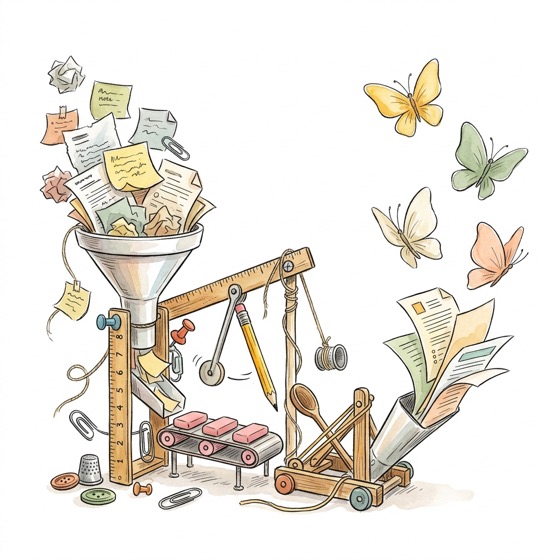
You just made three documents from three separate data sources. There is a practical technique worth knowing: generating multiple documents from a single source in one Cowork session.

Ask Cowork: "From this chargeback CSV, create: (1) an Excel tracker, (2) a Word summary report, and (3) a 5-slide PowerPoint. Use the same data consistently across all three."

The advantage: numbers stay aligned because they all come from one session. No copy-paste drift between documents.

The caveat: multi-document prompts are more likely to hit context limits or produce degraded output on the later documents. If the third file comes out thin or garbled, break it into separate prompts. In our testing, two-document chains are reliable; three is where quality starts to drop off.

6

Ship It

2 min

Ship It

2 min

You have three documents in your workspace. Three things that would normally eat your entire afternoon — done.

Open every file in its actual application (Excel, Word, PowerPoint) — not just the Cowork preview. Ask yourself: could I send this to a colleague with 15 minutes of cleanup? If yes, that's a massive win. If you'd basically rewrite it, the prompt needs work — go back and be more specific about what you want.

Save any prompt that produced a usable result. Charlotte keeps hers in a "prompts-that-work" folder. You should too — you'll build on these in Module 5.

Steal This Prompt

Copy these prompts, customize the file paths to match your workspace, and use them in Cowork. Replace ~ with your actual home directory path if needed.

"Friday Reconciliation" — Settlement Workbook

FinanceEveryone
I have two CSV files with settlement data. File 1 has Settlement_Amount, File 2 has Recorded_Amount. Create an Excel wor...
Show full prompt
I have two CSV files with settlement data. File 1 has Settlement_Amount, File 2 has Recorded_Amount. Create an Excel workbook with 3 sheets: Matched (amounts equal), Variances (amounts differ, with Difference column, RED for >$500, YELLOW for $100-500), Summary (formulas for totals, counts, net variance). Sort variances by largest first.

"The Case Tracker" — Dispute Workbook

ChargebacksEveryone
Create a chargeback tracking Excel workbook from my CSV. Add dropdown validation for Card_Scheme and Status columns. Con...
Show full prompt
Create a chargeback tracking Excel workbook from my CSV. Add dropdown validation for Card_Scheme and Status columns. Conditional formatting: RED for past deadline, YELLOW for due within 3 days, GREEN for Won, GRAY for Lost. Summary sheet with auto-calculating formulas for totals, win rate, cases by scheme.

"The Dispute Rebuttal Drafter"

Chargebacks
I'm disputing a chargeback. Here are the details: - Reason code: [e.g., Visa 10.4 - Fraud, Card Present] - Transaction a...
Show full prompt
I'm disputing a chargeback. Here are the details:
- Reason code: [e.g., Visa 10.4 - Fraud, Card Present]
- Transaction amount: [amount]
- Transaction date: [date]
- Evidence I have: [list what you have — receipt, delivery confirmation, AVS match, 3DS authentication, merchant-cardholder communication]

Draft a dispute rebuttal summary (max 1 page) that: (1) states which evidence addresses the reason code, (2) argues why the transaction was legitimate based on the available evidence, (3) identifies what additional evidence would strengthen the case, (4) flags if the evidence is likely insufficient to win. Write it as if it's going on the front page of an evidence PDF submitted to the card scheme.

Be direct. Schemes read hundreds of these — get to the point.

"The New Starter Survival Guide"

OperationsSupportEveryone
Read team notes or process docs. Create a "New Starter Guide" with: what the team does, key processes, tools, jargon glo...
Show full prompt
Read team notes or process docs. Create a "New Starter Guide" with: what the team does, key processes, tools, jargon glossary, who to ask, first-week checklist. Write like a helpful colleague, not a policy document. Save as DOCX.

"The QBR That Writes Itself"

LeadershipEveryone
Read summary data CSV. Create an 8-10 slide quarterly business review: executive summary, trends, breakdown by category,...
Show full prompt
Read summary data CSV. Create an 8-10 slide quarterly business review: executive summary, trends, breakdown by category, top issues, recommended actions. Speaker notes on every slide. The deck should tell a story, not just show numbers. Save as PPTX.

"Receipt Photos to Expense Report"

FinanceEveryone
I have receipt photos in my workspace folder (screenshots or photos of receipts). Read each image. For each receipt, ext...
Show full prompt
I have receipt photos in my workspace folder (screenshots or photos of receipts). Read each image. For each receipt, extract: date, vendor name, amount, and category (travel, meals, office supplies, software, other). Create an Excel expense report with: Sheet 1 — all expenses sorted by date, Sheet 2 — summary by category with totals, Sheet 3 — any receipts where the amount was unclear or the image was hard to read (flag for manual review). Use formulas for the totals.

"50 Personalised Emails in 5 Minutes"

SalesSupportOperationsEveryone
I have a CSV file with contact details (Name, Company, Email, and a few custom fields) and an email template below. For ...
Show full prompt
I have a CSV file with contact details (Name, Company, Email, and a few custom fields) and an email template below. For each row in the CSV, create a personalised version of the template — replacing placeholders with the actual values, and adjusting the opening line to reference their company name naturally. Save all 50 emails as a single Word document with clear separators between each one, ready for me to review and send manually.

[Paste your email template here with {{Name}}, {{Company}} placeholders]

"The Scheme Compliance Report"

ChargebacksCompliance
I'm pasting this month's chargeback data (or attaching a CSV). Create a scheme compliance report with: (1) chargeback ra...
Show full prompt
I'm pasting this month's chargeback data (or attaching a CSV). Create a scheme compliance report with: (1) chargeback ratio per card scheme (Visa, Mastercard, AMEX) — calculated as chargeback count / total transaction count, (2) comparison vs. previous month (include a Trend column: UP, DOWN, FLAT), (3) threshold breach warnings — flag any scheme where the ratio exceeds: Visa 0.9%, Mastercard 1.5%, (4) breakdown by reason code category per scheme, (5) a 3-line executive summary stating whether we're compliant, which schemes need attention, and recommended actions. Create as an Excel workbook with a Summary sheet and a Detail sheet.

[Paste or attach your chargeback data]

"The Merchant Onboarding Status Email"

OperationsCustomer Relations
I have a list of merchants stuck in onboarding. For each merchant, I'll paste: merchant name, current stage, days waitin...
Show full prompt
I have a list of merchants stuck in onboarding. For each merchant, I'll paste: merchant name, current stage, days waiting, and what's missing (if known).

For each merchant, draft a professional follow-up email that: (1) addresses the merchant by name, (2) states their current onboarding stage in plain English (not internal jargon), (3) lists exactly what they need to submit or do next, (4) gives a clear deadline, (5) offers a contact point for questions. Keep the tone helpful, not bureaucratic. Save all emails in a single Word document, one per page.

[Paste your merchant list here]

"The Team Capacity Planner"

LeadershipOperations
I'm pasting my team's current workload: each person's name, their current assignments, deadlines, and estimated hours re...
Show full prompt
I'm pasting my team's current workload: each person's name, their current assignments, deadlines, and estimated hours remaining.

Create a capacity analysis with: (1) a heat map view — who's overloaded (>40h/week committed), who has bandwidth (<30h), who's at capacity, (2) deadline conflicts — tasks due the same week that share a person, (3) items at risk of slipping based on hours remaining vs. time available, (4) suggested rebalancing — which tasks could shift to someone with bandwidth. Create as an Excel workbook. Be honest if the data is too vague to draw conclusions.

[Paste your team workload here]

"The SOP from Tribal Knowledge"

OperationsEveryone
I'm pasting a Slack thread (or email chain, or voice note transcript) where someone explained how a process works. It's ...
Show full prompt
I'm pasting a Slack thread (or email chain, or voice note transcript) where someone explained how a process works. It's informal and scattered, but the knowledge is in there.

Turn this into a formal Standard Operating Procedure (SOP) document with: (1) Purpose — what this process achieves in one sentence, (2) Scope — who does this and when, (3) Prerequisites — what you need before starting, (4) Step-by-step instructions — numbered, specific, no ambiguity, (5) Decision points — where judgment is needed and what to consider, (6) Escalation — when to stop and ask someone, (7) Common mistakes — things that go wrong based on what was mentioned.

Format as a Word document. Flag any steps where the original explanation was vague — mark them with [NEEDS CLARIFICATION] so the team can fill in the gaps.

[Paste the informal explanation here]

"The Data Cleaner"

Everyone
I have a messy CSV (or spreadsheet data) with inconsistent formatting. Clean it up: (1) **Names** — standardise capital...
Show full prompt
I have a messy CSV (or spreadsheet data) with inconsistent formatting. Clean it up:

(1) **Names** — standardise capitalisation (Title Case for company names, consistent format for person names).
(2) **Dates** — convert all dates to YYYY-MM-DD format regardless of input format.
(3) **Phone numbers** — standardise to international format (+44..., +1...).
(4) **Duplicates** — flag rows that look like duplicates based on name + email (or name + company). Don't delete them — just add a "Possible_Duplicate" column.
(5) **Blanks** — flag rows with missing critical fields (email, company name, or whatever I specify as required).

Create a clean CSV and a separate "Cleaning Report" listing every change made, so I can verify nothing was mangled.

[Paste or attach your messy data]

"The Market Research Brief"

ProductMarketingSalesLeadership
I need a market research brief on: [topic / market segment / competitor / trend]. Create a structured research document...
Show full prompt
I need a market research brief on: [topic / market segment / competitor / trend].

Create a structured research document with: (1) Overview — what is this market/topic and why it matters, (2) Key players — the main companies or products in this space with a one-line summary of each, (3) Trends — what's changing right now (last 12 months), (4) Opportunities — where there might be gaps or underserved needs, (5) Risks — what could go wrong or what to watch out for, (6) Relevance to us — how this connects to a payments/FinTech business specifically.

Use publicly available information only. Flag anything you're uncertain about with [VERIFY]. Keep it under 3 pages — this is a brief, not a thesis.

Key Takeaways

  1. Cowork handles Excel formulas, conditional formatting, and dropdowns — but generates .xlsx via a JS library, not Excel. Always open and verify in actual Excel.

  2. Word documents come with TOC, numbered steps, and decent formatting. Complex layouts and corporate templates will need manual adjustment.

  3. PowerPoint decks include speaker notes and basic structure. Design is functional, not polished — apply your slide master after.

  4. Always verify: check one formula, one number, one calculation against the source. LLMs use statistical prediction, not calculation — math errors are common.

Safety Note:

Excel limitations: Cowork generates .xlsx files using a JavaScript library (ExcelJS), not Excel itself. Pivot tables, complex charts, VBA macros, Power Query, and dynamic arrays are not supported. Some conditional formatting rules may not render correctly. Always open and verify in actual Excel before distributing.

Word limitations: Generated DOCX files look professional but may need manual formatting tweaks. Complex layouts, headers/footers, and corporate templates are hit-or-miss. No embedded images (yet) and multi-column layouts often need adjustment. Table of contents links may require a field update in Word.

PowerPoint limitations: No animations, transitions, or custom corporate templates. Content and structure are solid; design is basic. You will need to apply your company's slide master and adjust formatting before presenting.

Math accuracy: LLMs predict text, they do not calculate. Formulas in generated Excel files are usually correct for simple operations (SUM, COUNTIF, averages), but verify any calculation that matters. Cross-check totals against the source data.

Materials

Download these files to use with the exercises above. Previews load automatically.

📊
chargeback-tracker.xlsx30 chargeback cases with deadline highlighting (overdue = red, urgent = yellow)
Download
📄
terminal-troubleshooting-sop.docxTerminal replacement SOP — Word doc with headings and numbered steps
Download
📊
monthly-chargebacks.xlsx6 months of chargeback summary statistics
Download
📊
hubspot-pipeline-export.xlsx20 sales deals for pipeline analysis
Download
📕
merchant-agreement-sample.pdfSample merchant services agreement (PDF reference)
Download