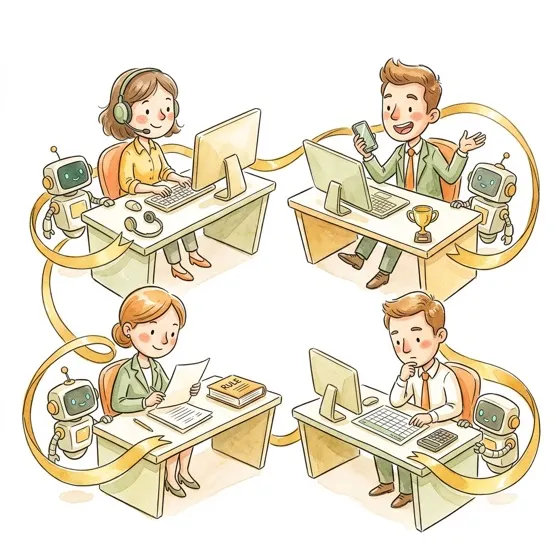
Full Stack
Wire everything together into a morning dashboard that runs before you sit down
What you'll learn4 objectives
- Build a complete morning dashboard that combines overnight scheduled tasks, live MCP queries, and custom skills into a single Word document (.docx) ready for review in 5 minutes
- Understand multi-agent Dispatch for running parallel skills that produce a combined output
- Conduct an honest audit of every automation built across Workshops 1-5 with keep/kill/iterate decisions
- Create a personal 30-day plan that turns workshop exercises into daily working habits
1Promise Check-In
IntroDid your scheduled tasks fire this week? One sentence on the best success and one on the biggest failure — both are useful.
2 min
Promise Check-In
IntroDid your scheduled tasks fire this week? One sentence on the best success and one on the biggest failure — both are useful.
Final check-in. Show of hands.
Best success story -- one sentence. Biggest failure -- one sentence. We want both.
Pattern to listen for: most failures are infrastructure (laptop sleeping, token expired, Claude Desktop not running) rather than prompt issues. If the task ran, it probably produced reasonable output.
2Systems Check
Step-by-StepVerify all five layers of your stack are live: workspace folder, CLAUDE.md, MCP connectors, skills, and scheduled tasks from Workshop 4.
5 min
Systems Check
Step-by-StepVerify all five layers of your stack are live: workspace folder, CLAUDE.md, MCP connectors, skills, and scheduled tasks from Workshop 4.
Before we build the final piece, make sure everything from Workshops 1-4 is working. Run /sun:setup to verify your stack is intact.
MCP connections
Jira, Confluence, Glean — are they connected and authenticated?
Fix: Settings > Integrations > Reconnect. Re-authenticate via SSO.
Skills installed
Pre-built skills + custom skill from Workshop 4 — do they respond?
Fix: Reinstall from skill marketplace or course skills list.
Scheduled tasks active
2 tasks from Workshop 4 — are they active? Did they produce output?
Fix: Check Claude Desktop was running. Verify workspace path. Re-test on-demand.
CLAUDE.md current
Role, department, tools, terminology — still accurate?
Fix: Edit directly. Add anything learned since Workshop 1.
38:55 AM
IntroThe facilitator opens their laptop at 8:55 AM. Three reports are already waiting in their workspace — generated by scheduled skills while they slept.
3 min
8:55 AM
IntroThe facilitator opens their laptop at 8:55 AM. Three reports are already waiting in their workspace — generated by scheduled skills while they slept.
8:55 AM. Three docs are already waiting in the workspace — generated while the facilitator slept. Four-minute review. No tab-hopping. No Slack archaeology.
Today you build YOUR version of this.
4Data Pack Morning Briefing
ExerciseGenerate your complete Monday morning briefing from overnight alerts, weekly report, and your department data — the capstone of everything you've built.
5 min
Data Pack Morning Briefing
ExerciseGenerate your complete Monday morning briefing from overnight alerts, weekly report, and your department data — the capstone of everything you've built.
Your data pack has overnight-alerts.xlsx and weekly-summary.md — what your Workshop 4 scheduled tasks would produce. Run the prompt below to see Cowork stitch them into one briefing.
Read overnight-alerts.xlsx and weekly-summary.md. Combine them into a single morning briefing I can review in 5 minutes. Highlight the 3 most urgent items, flag any patterns, and list action items for today.5Multi-Agent Dispatch
Step-by-StepWire three skills to run in parallel using Dispatch — briefing, verification, and action list produced simultaneously from a single command.
10 min
Multi-Agent Dispatch
Step-by-StepWire three skills to run in parallel using Dispatch — briefing, verification, and action list produced simultaneously from a single command.
Three skills, one command, in parallel. Total time = the slowest agent, not the sum.
How it works
- Agent 1 — Triage overnight alerts
- Agent 2 — Jira briefing
- Agent 3 — Yesterday's carry-overs
All three output files land in the workspace. Cowork stitches them into one dashboard.
Run these three tasks in parallel:
1. Triage overnight alerts — save as alerts-{date}.docx
2. Pull Jira briefing — save as briefing-{date}.docx
3. Check yesterday's unfinished items — save as carry-over-{date}.docx

Combine them into morning-dashboard-{date}.docx with an executive summary (3 bullets).6The Honest Audit
SafetyKEEP, KILL, or ITERATE — rate every automation you built across 5 workshops. Calculate your real time savings. Be honest about what's actually working.
10 min
The Honest Audit
SafetyKEEP, KILL, or ITERATE — rate every automation you built across 5 workshops. Calculate your real time savings. Be honest about what's actually working.
Six automations. Three verdicts. Open audit-checklist.xlsx and score each one honestly — no points for polite answers.
Calculate the ROI for my automation portfolio.
For each task I automated, provide: manual time, Cowork time (generation + review), frequency per week.
Monthly time-savings summary in Word document (.docx).
Distinguish 'time redirected' (same hours, better work) from 'time reclaimed' (actual free time).7Lightning Demos
Exercise2 minutes each, strictly enforced. Share your screen and show the room the one workflow you're most proud of from the last 5 weeks.
15 min
Lightning Demos
Exercise2 minutes each, strictly enforced. Share your screen and show the room the one workflow you're most proud of from the last 5 weeks.
Six volunteers. Two minutes each. No slides — just screen share and the one workflow you're proud of.
Watch For
- Steal-worthy ideas from other departments
- Common patterns across all dashboards (overnight summary, deadline watch, carry-over)
- Creative solutions you had not considered
Most Likely to Actually Get Used on Monday
Not the flashiest — the one that will genuinely be opened every morning
Best Time Saver
The dashboard that replaces the most manual work
Why Didn't I Think of That
The most creative or unexpected approach
8The Network Reveal
Step-by-StepSee Nexus Solutions — the merchant hiding across Compliance, Chargebacks, Risk, and Sales from Workshop 3 — and how your MCP connections would surface patterns like this automatically.
5 min
The Network Reveal
Step-by-StepSee Nexus Solutions — the merchant hiding across Compliance, Chargebacks, Risk, and Sales from Workshop 3 — and how your MCP connections would surface patterns like this automatically.
Nexus Solutions showed up in Compliance, Chargebacks, Risk, and Inside Sales — all the same merchant, all the same week. Silos hid that. A cross-system dashboard would have surfaced it in one line.
Nexus Solutions
Compliance, Chargebacks, Risk, Inside Sales
Same merchant flagged across 4 departments — invisible until the cross-department reveal.
930-Day Plan
Step-by-StepLeave with a written 4-week roadmap: which automations to keep, what to build next, and your ROI number for your manager.
7 min
30-Day Plan
Step-by-StepLeave with a written 4-week roadmap: which automations to keep, what to build next, and your ROI number for your manager.
Week 1
Run what you built. Fix what breaks.
- Run morning dashboard every day
- Check scheduled tasks every morning — diagnose missing output
- Run custom skill on real data 3+ times
- Keep a list of what breaks and what surprises
- Fix one broken thing
Week 2
Refine and extend.
- Update CLAUDE.md with Week 1 learnings
- Improve custom skill — better error handling, tighter constraints
- Share dashboard or skill with one teammate, get feedback
- Add one new section to morning dashboard
Week 3
Build something new.
- Identify and automate a second weekly workflow
- Start measuring time — /sun:roi-calculator or simple timer
- Add a second scheduled task cadence
- Help one colleague set up CLAUDE.md and first skill
Week 4
Honest review.
- Revisit Keep/Kill/Iterate grid — what changed?
- Kill anything unused for 2 weeks
- Calculate actual time savings, share with manager
- Write one-paragraph summary: before vs after
My automations run daily. My morning dashboard is waiting when I open my laptop. I review it with coffee. I know what needs my attention before my first meeting. The rest of my time goes to the work that actually needs a human brain. And when that work is done — I go outside.
Steal This Prompt
Copy these prompts, customize the file paths to match your workspace, and use them in Cowork. Replace ~ with your actual home directory path if needed.
Accounting Morning Dashboard
Chargeback Morning Dashboard
Compliance Morning Dashboard
Country Ops Morning Dashboard
Support Morning Dashboard
Data Analytics Morning Dashboard
Finance Morning Dashboard
Fraud Morning Dashboard
Inside Sales Morning Dashboard
IT Helpdesk Morning Dashboard
Legal Morning Dashboard
Logistics Morning Dashboard
Marketing Morning Dashboard
Onboarding Morning Dashboard
Operations Morning Dashboard
Partnerships Morning Dashboard
People / HR Morning Dashboard
Product Activation Morning Dashboard
Product Management Morning Dashboard
Product Ops Morning Dashboard
Retention Morning Dashboard
Risk Morning Dashboard
Scheme Ops Morning Dashboard
Treasury Morning Dashboard
Key Takeaways
Morning dashboard beats tab-hopping — A dashboard covering 60% of your morning needs is dramatically better than opening 5 tabs and scrolling. Start simple; add sources only when the current dashboard is stable.
Scheduled tasks + MCP + custom skills compound — Individually each one saves minutes. Wired together into a morning dashboard, they save an hour before 9am. The value is in the chain, not the links.
Multi-agent Dispatch is for 3+ sources, not bragging rights — A single-source triage is faster with one agent. Parallel agents pay off when the bottleneck is sequential querying across distinct systems.
Honest audit > enthusiastic adoption — Kill anything you have not used in 2 weeks. Iterate anything that works but still needs hand-holding. Keep only what saves real time on real work. Your future self will thank you.
ROI is time redirected, not time saved — Be honest: the hour you freed goes somewhere. Either to higher-value work (name it) or to a shorter day (name it). Unnamed time savings evaporate within a week.
The course is over; the habit isn't — Workshop 1 was 90 minutes. The next 30 days are 30 hours of practice. Pick one automation to run tomorrow morning, with coffee. That is where the outdoor time comes from.
Materials
Select your department using the picker in the top right to see the exercise files for this workshop. Click any file to preview it in place.
Safety Note
A morning dashboard runs while you are still asleep and greets you with a polished document. That polish is the danger — a trustworthy-looking summary based on stale, partial, or hallucinated data will lead to worse decisions than having no summary at all.
Rules that apply from this workshop forward:
- Never treat a scheduled dashboard as ground truth. It is a draft, even when it looks final. Spot-check at least one number or claim against the source system every morning for the first two weeks.
- Never forward a morning dashboard — or any extract from it — to a manager, merchant, or external party without reading it end-to-end first
- Always check the timestamp on every source file the dashboard consumes. A dashboard built from yesterday's alerts and last week's Jira data is worse than no dashboard.
- Always include a "If this is empty, the task failed" sentinel in every scheduled task so silent failure produces a visible error document, not a plausible-looking empty report
- Always review your automation portfolio honestly at the end of each month. Kill anything unused. Iterate anything that still needs a human tweak. Keep only what survives real work on real data.